28
2026Dev Log 4: From Audio Manager to Music Playlist Service
Audio is one of the first systems that makes a Unity project feel better, but it is also one of the systems that grows messy if it starts as one script with a few AudioSource references.
LoL Engine’s audio layer began with practical needs:
– Play sound effects by ID
– Manage music and ambient tracks
– Pool AudioSource instances
– Support fades
– Support 3D positioned audio
– Persist player volume and mute settings
– Keep track-level settings data-driven
Then music playlists became their own service.
Fix the Basics
The changelog shows several audio fixes before playlists arrived.
In 0.15.9-beta, first-run audio settings were corrected so AudioConfig default volumes were respected. Player volume and mute changes were also synchronized back into saved settings so changes persisted between sessions.
In 0.15.11-beta, handle cleanup was corrected to avoid double-returning pooled audio sources.
These are not glamorous features, but they are the foundation. Audio systems need to be quiet when nothing is wrong, persistent when players change settings, and careful with pooled resources.
Randomization Without Rewriting the Service
Version 0.17.7-beta added audio randomization helpers for pitch and volume jitter plus variant selection.
The important design choice was that this composed from existing primitives. IAudioService and AudioService did not need to be rewritten. Instead, PlayOptions could be adjusted with randomized pitch/volume, and random pools could pick variants while avoiding immediate repeats.
That is useful for UI clicks, impacts, footsteps, and other repeated sounds where identical playback becomes noticeable.
-

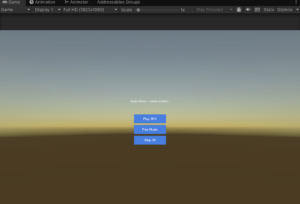
- Audio Sample in LoLEngine
Playlist Service
Version 0.18.0-beta introduced IMusicPlaylistService.
Instead of asking every game to build playlist behavior on top of raw audio playback, LoL Engine provides a service for:
– Sequential playback
– Shuffle playback
– Repeat-one playback
– Crossfade between tracks
– Playlist switching
– Mute behavior that can pause playback or silence it while tracks continue advancing
– Playlist events for UI and game systems
The service sits on top of IAudioService. That is important because playlist orchestration should not duplicate lower-level audio playback.
Crossfade That Actually Overlaps
Version 0.18.2-beta improved playlist transitions with look-ahead preload and early-start behavior.
The problem: a crossfade is only a real crossfade if the next clip is ready before the current clip ends.
The playlist service now warms the next clip through the resource cache before the transition point. If preload finishes in time, the next track starts early enough to overlap with the outgoing track. If not, the service falls back to the normal completion path.
That gives better results without making playback fragile.
The same release added equal-power crossfade curves, which are better suited to music transitions than simple linear fades.
Per-Track Gain and Metadata
Playlist tracks also became richer than plain string IDs.
PlaylistTrackEntry can carry:
– Addressable ID
– Gain in decibels
– Display title
– Artist
– Cover art
That lets a game tune loudness per track and build now-playing UI without creating a separate metadata database.
Why This Belongs in LoL Engine
Unity gives you AudioSource. That is the right low-level primitive.
LoL Engine adds the layer many games end up writing anyway:
– Track organization
– Playback options
– Source pooling
– Fades
– Music playlist flow
– Settings persistence
– Randomization helpers
The goal is not to hide Unity audio. The goal is to make common game-audio behavior repeatable and configurable.
LoL Engine is available for Unity 6000.0+.
– Asset Store: TBD
– Documentation: TBD